General Info
The ARMmite and ARMexpress use the DTR and RTS serial control lines to control programming and reset for the device. The state chosen allows the ARMmite/express to run and be reset by the push button while idle (i.e. no serial program running).
PC side programs
Programs on the PC such as Tcl, MSCOMM and GCC allow the control lines to be controlled by the user. But some pre-compiled programs do not allow this control, such as HyperTerminal, TeraTerm, and some Linux apps. This page describes the steps to allow these programs to operate.
Useful debugging tool
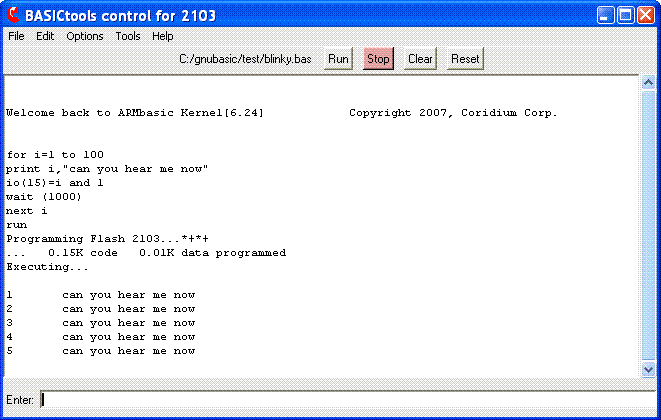
Before starting its useful to load a program into the ARMmite/express that will pulse the LED and also continuously send some data out the serial port. Here is one that works well...
Download the latest BASICtools and Tclterm
In order to be able to communicate with the ARMmite/express after the control lines have been changed, make sure you are running the latest TclTerm. Versions 1.6 and later have this support.
http://www.coridium.us/files/setupBASIC.exe
Next, the driver must be changed
for the USB serial device. The FTDI D2XX driver must be used.
Download it from the FTDI website.
http://www.ftdichip.com/Drivers/D2XX.htm
Choose the proper version for your operating system, and download and install the driver. The installation executable may be used, and there are instructions in the Installation Guides on that page.
Configuration Utility
Next the settings of the serial control lines need to be changed, this requires the MProg utility from FTDI. Download and install this program.
http://www.ftdichip.com/Resources/Utilities/MProg3.0_Setup.exe
Next download the data files for configuration of the ARMmite or ARMexpress eval PCBs. Unzip these files and store in a convenient directory (such as C:/Program Files/MProg 3.0a/Templates)
http://www.coridium.us/files/USBconfig.zip
Setup ARMmite/ARMexpress for MatLab, HyperTerminal, or TeraTerm
Run the MProg utility. Load the serial or legacy File version. And then reprogram the FTDI chip. ONLY have 1 ARMmite or ARMexpress plugged in at time when you perform this operation.
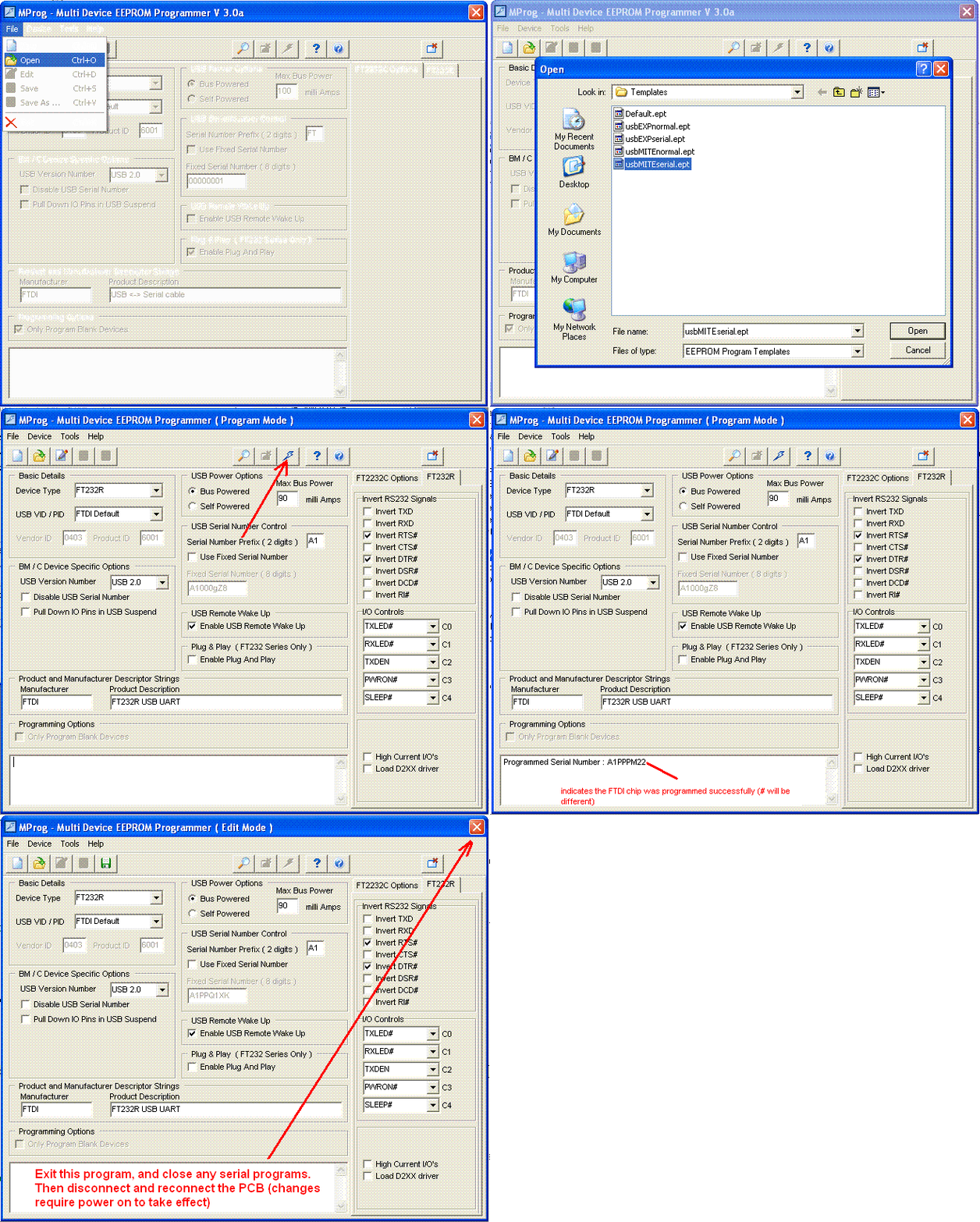
Exit this program and close any serial programs such as BASICtools. For this change to take effect, the ARMmite/express must be disconnected from the PC and reconnected.
Now the ARMmite/express will be idle until the serial port is open, when Hyperterminal, or TeraTerm is run. Then after those programs are run, to start your BASIC or C program press the RESET pushbutton on the ARMmite/express.
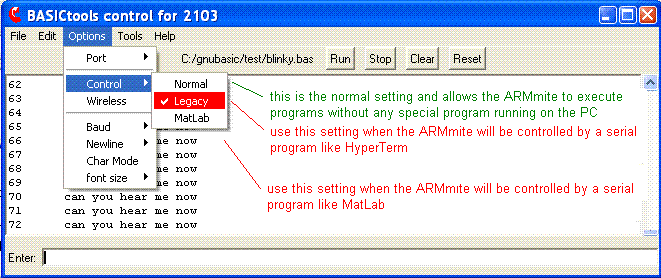
Change the BASICtools settings for the reconfigured ARMmite/ARMexpress
In order to be able to change the BASIC program, you will still need to use BASICtools, but it will have to be configured to use the new control line configuration (DTR and RTS inverted).